 24d25966a8
Como el iman de la breadboard pero para PLACAS: un componente puede declarar en
su elemento (estilo regla 6a, igual que pinInfo) que lleva un zocalo:

    get boardSocket(): { anchorPin, accepts }

y una placa cuyo boardKind case con accepts, arrastrada cerca, se posa de golpe
con su pad anchorPin sobre el homonimo del zocalo. Un solo ancla basta porque
ambas rejillas comparten paso — esa es la gracia de un zocalo. Arrastrarla mas
alla de la tolerancia la suelta, sin estado que recordar.

Enganchado en los dos caminos de arrastre de placas (raton y tactil). El
overlay privado declara el zocalo sin que este repo sepa que existe.
|
||
|---|---|---|
| .github | ||
| .vite/deps | ||
| backend | ||
| docker | ||
| docs | ||
| frontend | ||
| prebuilt/qemu | ||
| scripts | ||
| test | ||
| vscode-extension | ||
| .dockerignore | ||
| .gitignore | ||
| .gitmodules | ||
| .markdownlint.json | ||
| CHANGELOG.md | ||
| CLAUDE.md | ||
| COMMERCIAL_LICENSE.md | ||
| Dockerfile.espidf-toolchain | ||
| Dockerfile.standalone | ||
| LICENSE | ||
| README.md | ||
| docker-compose.yml | ||
| make-test.js | ||
| package.json | ||
| pytest.ini | ||
README.md
Velxio: Arduino & Embedded Board Emulator
Live at velxio.dev
A fully local, open-source multi-board emulator. Write Arduino C++ or Python, compile it, and simulate it with real CPU emulation and 48+ interactive electronic components — all running in your browser.
19 boards · 5 CPU architectures: AVR8 (ATmega / ATtiny), ARM Cortex-M0+ (RP2040), RISC-V RV32IMC/EC (ESP32-C3 / CH32V003), Xtensa LX6/LX7 (ESP32 / ESP32-S3 via QEMU), and ARM Cortex-A53 (Raspberry Pi 3 Linux via QEMU).







Support the Project
Velxio is free and open-source. Building and maintaining a full multi-board emulator takes a lot of time — if it saves you time or you enjoy the project, sponsoring me directly helps keep development going.
| Platform | Link |
|---|---|
| GitHub Sponsors (preferred) | github.com/sponsors/davidmonterocrespo24 |
| PayPal | paypal.me/odoonext |
Your support helps cover server costs, library maintenance, and frees up time to add new boards, components, and features. Thank you!
Try it now
https://velxio.dev — no installation needed. Open the editor, write your sketch, and simulate directly in the browser.
To self-host with Docker (single command):
docker run -d \
  --name velxio \
  -p 3080:80 \
  -v velxio-data:/app/data \
  -v velxio-arduino-libs:/root/.arduino15 \
  -v velxio-arduino-user-libs:/root/Arduino \
  -v velxio-ccache:/var/cache/ccache \
  -v velxio-build:/var/lib/velxio-build \
  ghcr.io/davidmonterocrespo24/velxio:master
Then open http://localhost:3080. Tail logs any time with
docker logs -f velxio.
The named volumes are what make compile times reasonable on subsequent runs — without them, every container restart wipes the ESP-IDF build cache and the first compile after each restart takes 5-7 minutes instead of 5-30 seconds.
Screenshots
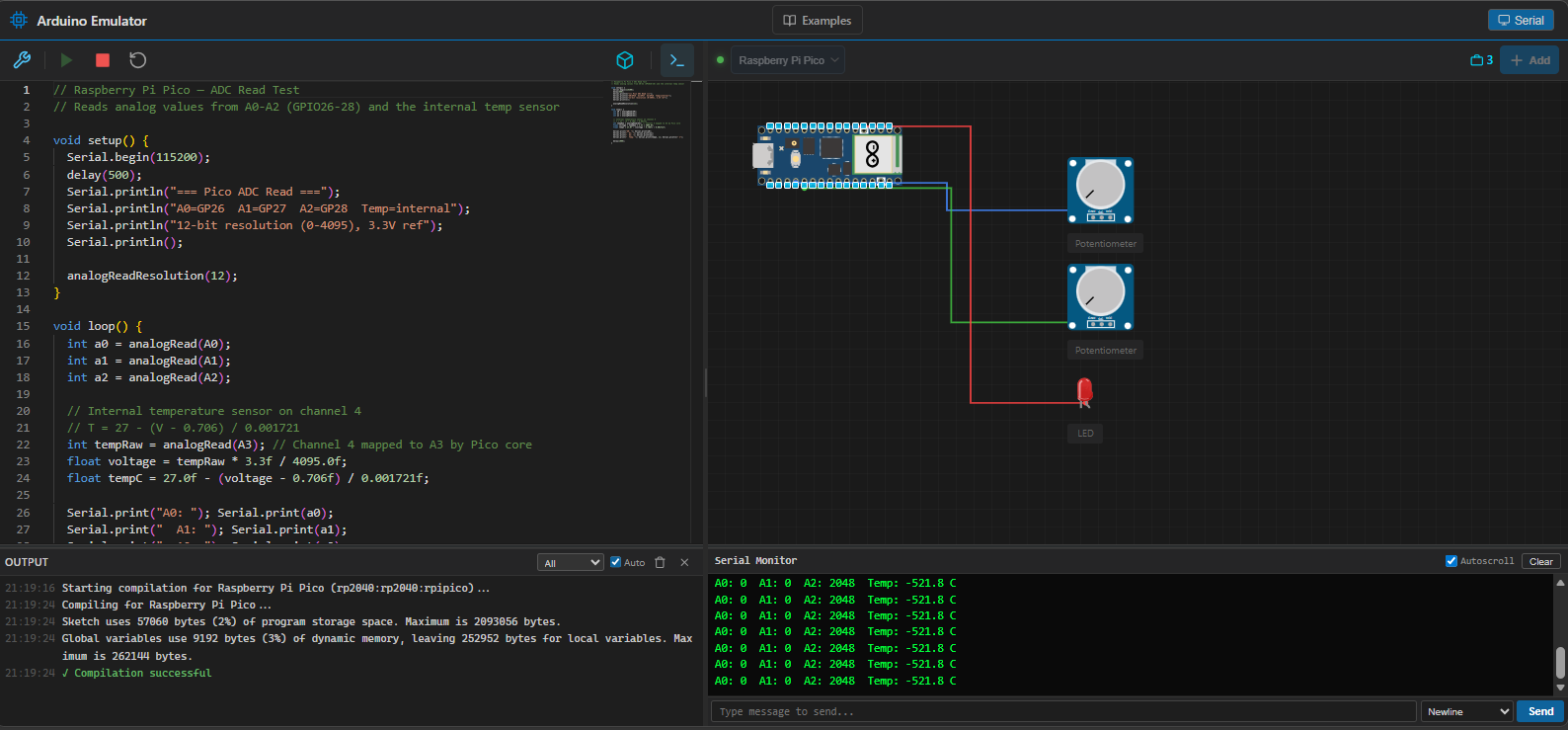
Raspberry Pi Pico simulation — ADC read test with two potentiometers, Serial Monitor showing live output, and compilation console at the bottom.
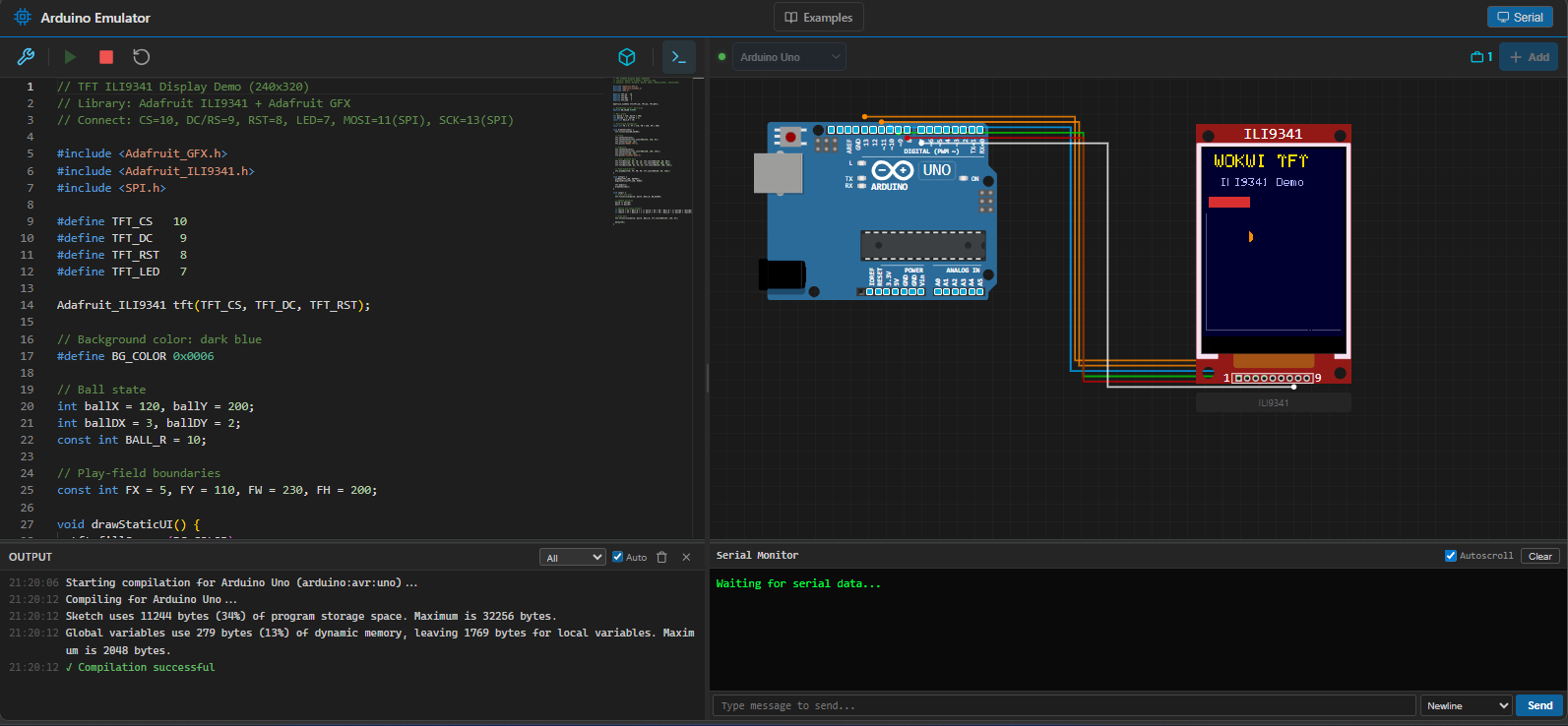
Arduino Uno driving an ILI9341 240×320 TFT display via SPI — rendering a real-time graphics demo using Adafruit_GFX + Adafruit_ILI9341.

Library Manager loads the full Arduino library index on open — browse and install libraries without typing first.

Component Picker showing 48 available components with visual previews, search, and category filters.

Multi-board simulation — Raspberry Pi 3 and Arduino running simultaneously on the same canvas, connected via serial. Mix different architectures in a single circuit.
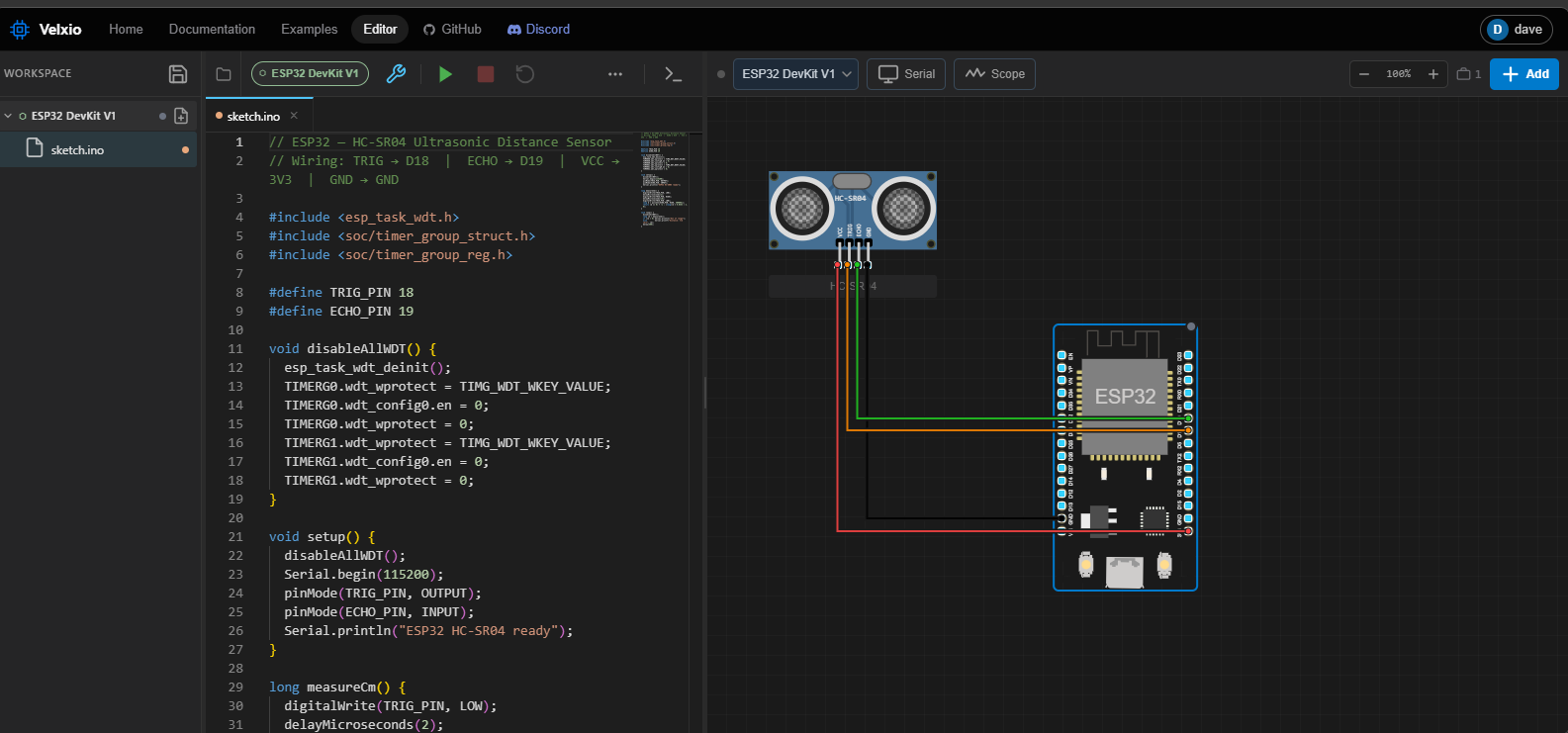
ESP32 simulation with an HC-SR04 ultrasonic distance sensor — real Xtensa emulation via QEMU with trigger/echo GPIO timing.
Supported Boards
 Raspberry Pi Pico |
 Raspberry Pi Pico W |
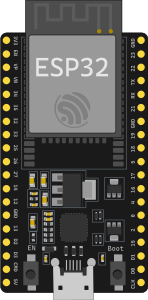 ESP32 DevKit C |
 ESP32-S3 |
 ESP32-C3 |
 Seeed XIAO ESP32-C3 |
 ESP32-C3 SuperMini |
 ESP32-CAM |
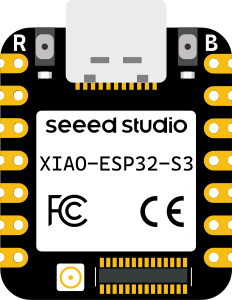 Seeed XIAO ESP32-S3 |
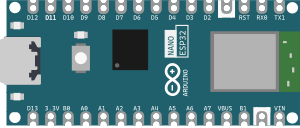 Arduino Nano ESP32 |
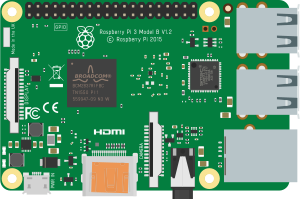 Raspberry Pi 3B |
Arduino Uno · Nano · Mega 2560 ATtiny85 · Leonardo · Pro Mini (AVR8 / ATmega) |
| Board | CPU | Engine | Language |
|---|---|---|---|
| Arduino Uno | ATmega328p @ 16 MHz | avr8js (browser) | C++ (Arduino) |
| Arduino Nano | ATmega328p @ 16 MHz | avr8js (browser) | C++ (Arduino) |
| Arduino Mega 2560 | ATmega2560 @ 16 MHz | avr8js (browser) | C++ (Arduino) |
| ATtiny85 | ATtiny85 @ 8 MHz (int) / 16 MHz (ext) | avr8js (browser) | C++ (Arduino) |
| Arduino Leonardo | ATmega32u4 @ 16 MHz | avr8js (browser) | C++ (Arduino) |
| Arduino Pro Mini | ATmega328p @ 8/16 MHz | avr8js (browser) | C++ (Arduino) |
| Raspberry Pi Pico | RP2040 @ 133 MHz | rp2040js (browser) | C++ (Arduino) |
| Raspberry Pi Pico W | RP2040 @ 133 MHz | rp2040js (browser) | C++ (Arduino) |
| ESP32 DevKit V1 | Xtensa LX6 @ 240 MHz | QEMU lcgamboa (backend) | C++ (Arduino) |
| ESP32 DevKit C V4 | Xtensa LX6 @ 240 MHz | QEMU lcgamboa (backend) | C++ (Arduino) |
| ESP32-S3 | Xtensa LX7 @ 240 MHz | QEMU lcgamboa (backend) | C++ (Arduino) |
| ESP32-CAM | Xtensa LX6 @ 240 MHz | QEMU lcgamboa (backend) | C++ (Arduino) |
| Seeed XIAO ESP32-S3 | Xtensa LX7 @ 240 MHz | QEMU lcgamboa (backend) | C++ (Arduino) |
| Arduino Nano ESP32 | Xtensa LX6 @ 240 MHz | QEMU lcgamboa (backend) | C++ (Arduino) |
| ESP32-C3 DevKit | RISC-V RV32IMC @ 160 MHz | QEMU lcgamboa (backend) | C++ (Arduino) |
| Seeed XIAO ESP32-C3 | RISC-V RV32IMC @ 160 MHz | QEMU lcgamboa (backend) | C++ (Arduino) |
| ESP32-C3 SuperMini | RISC-V RV32IMC @ 160 MHz | QEMU lcgamboa (backend) | C++ (Arduino) |
| CH32V003 | RISC-V RV32EC @ 48 MHz | QEMU lcgamboa (backend) | C++ (Arduino) |
| Raspberry Pi 3B | ARM Cortex-A53 @ 1.2 GHz | QEMU raspi3b (backend) | Python |
Features
Code Editing
- Monaco Editor — Full C++ / Python editor with syntax highlighting, autocomplete, minimap, and dark theme
- Multi-file workspace — create, rename, delete, and switch between multiple
.ino/.h/.cpp/.pyfiles - Arduino compilation via
arduino-clibackend — compile sketches to.hex/.binfiles - Compile / Run / Stop / Reset toolbar buttons with status messages
- Compilation console — resizable output panel showing full compiler output, warnings, and errors
Multi-Board Simulation
AVR8 (Arduino Uno / Nano / Mega / ATtiny85 / Leonardo / Pro Mini)
- Real ATmega328p / ATmega2560 / ATmega32u4 / ATtiny85 emulation at native clock speed via avr8js
- Full GPIO — PORTB, PORTC, PORTD (Uno/Nano/Mega); all ATtiny85 ports (PB0–PB5)
- Timer0/Timer1/Timer2 —
millis(),delay(), PWM viaanalogWrite() - USART — full transmit and receive, auto baud-rate detection
- ADC —
analogRead(), voltage injection from potentiometers on canvas - SPI — hardware SPI peripheral (ILI9341, SD card, etc.)
- I2C (TWI) — hardware I2C with virtual device bus
- ATtiny85 — all 6 I/O pins, USI (Wire), Timer0/Timer1, 10-bit ADC; uses
AttinyCore - ~60 FPS simulation loop via
requestAnimationFrame
RP2040 (Raspberry Pi Pico / Pico W)
- Real RP2040 emulation at 133 MHz via rp2040js — ARM Cortex-M0+
- All 30 GPIO pins — input/output, event listeners, pin state injection
- UART0 + UART1 — serial output in Serial Monitor; Serial input from UI
- ADC — 12-bit on GPIO 26–29 (A0–A3) + internal temperature sensor (ch4)
- I2C0 + I2C1 — master mode with virtual device bus (DS1307, TMP102, EEPROM)
- SPI0 + SPI1 — loopback default; custom handler supported
- PWM — available on any GPIO pin
- WFI optimization —
delay()skips ahead in simulation time instead of busy-waiting - Oscilloscope — GPIO transition timestamps at ~8 ns resolution
- Compiled with the earlephilhower arduino-pico core
See docs/RP2040_EMULATION.md for full technical details.
ESP32 / ESP32-S3 (Xtensa QEMU)
- Real Xtensa LX6/LX7 dual-core emulation via lcgamboa/qemu
- Full GPIO — all 40 GPIO pins, direction tracking, state callbacks, GPIO32–39 fix
- UART0/1/2 — multi-UART serial, baud-rate detection
- ADC — 12-bit on all ADC-capable pins (0–3300 mV injection from potentiometers)
- I2C — synchronous bus with virtual device response
- SPI — full-duplex with configurable MISO byte injection
- RMT / NeoPixel — hardware RMT decoder, WS2812 24-bit GRB frame decoding
- LEDC/PWM — 16-channel duty cycle readout, LEDC→GPIO mapping, LED brightness
- WiFi — SLIRP NAT emulation (
WiFi.begin("PICSimLabWifi", "")) - Requires arduino-esp32 2.0.17 (IDF 4.4.x) — only version compatible with lcgamboa WiFi
See docs/ESP32_EMULATION.md for setup and full technical details.
ESP32-C3 / XIAO-C3 / SuperMini / CH32V003 (RISC-V via QEMU)
- RV32IMC emulation through QEMU lcgamboa with
libqemu-riscv32and theesp32c3-picsimlabmachine — same backend pattern as Xtensa ESP32, different libqemu binary - GPIO 0–21 via W1TS/W1TC MMIO registers (ESP32-C3); PB0–PB5 (CH32V003)
- UART0 serial output in Serial Monitor
- CH32V003 — RV32EC core at 48 MHz, 16 KB flash, DIP-8 / SOP package — ultra-compact
- TypeScript ISA layer (
RiscVCore.ts,Esp32C3Simulator.ts) is kept as Vitest-only unit-test infrastructure — it cannot handle the 150+ ROM functions ESP-IDF needs and is not the production emulation path
See docs/RISCV_EMULATION.md for full technical details.
Raspberry Pi 3B (QEMU raspi3b)
- Full BCM2837 emulation via
qemu-system-aarch64 -M raspi3b - Boots real Raspberry Pi OS (Trixie) — runs Python scripts directly
- RPi.GPIO shim — drop-in replacement for the GPIO library; sends pin events to the frontend over a text protocol
- GPIO 0–27 — output and input, event detection, PWM (binary state)
- Dual serial — ttyAMA0 for user Serial Monitor, ttyAMA1 for GPIO protocol
- Virtual File System — edit Python scripts in the UI, upload to Pi at boot
- Multi-board serial bridge — Pi ↔ Arduino serial communication on the same canvas
- qcow2 overlay — base SD image never modified; session changes are isolated
See docs/RASPBERRYPI3_EMULATION.md for full technical details.
Serial Monitor
- Live serial output — characters as the sketch/script sends them
- Auto baud-rate detection — reads hardware registers, no manual configuration needed
- Send data to the RX pin from the UI
- Autoscroll with toggle
Component System (48+ Components)
- 48 electronic components from wokwi-elements
- Component picker with search, category filters, and live previews
- Drag-and-drop repositioning on the simulation canvas
- Component rotation in 90° increments
- Property dialog — pin roles, Arduino pin assignment, rotate & delete
Wire System
- Wire creation — click a pin to start, click another pin to connect
- Orthogonal routing — no diagonal paths
- 8 signal-type wire colors: Red (VCC), Black (GND), Blue (Analog), Green (Digital), Purple (PWM), Gold (I2C), Orange (SPI), Cyan (USART)
- Segment-based wire editing — drag segments perpendicular to their orientation
Library Manager
- Browse and install the full Arduino library index directly from the UI
- Live search, installed tab, version display
Portable Project Persistence
.vlxfile format — single-file JSON snapshot of the whole workspace (boards, file groups, components, wires). Download with the Save button, restore with the Open.vlxbutton. The format is versioned so files round-trip cleanly across versions.- Zero server-side state — OSS Velxio has no database, no accounts,
no login. Your projects live wherever you keep your
.vlxfiles (local disk, Dropbox, GitHub, Google Drive — your choice). - Need accounts, public profiles at
/:username, server-side project URLs and admin panels? Those live in the private overlay used to run velxio.dev — see velxio-prod for the open-core split details.
Example Projects
- Built-in examples including Blink, Traffic Light, Button Control, Fade LED, Serial Hello World, RGB LED, Simon Says, LCD 20×4, and Pi + Arduino serial control
- One-click loading into the editor
Self-Hosting
Pick the install path that matches your appetite for setup. All three
work out-of-the-box without an .env file — defaults are picked
automatically.
| Path | Boards available | Build time | Best for |
|---|---|---|---|
| A. Docker (prebuilt image) | All 19 (AVR, RP2040, RISC-V, ESP32, Raspberry Pi 3) | ~30 s download | Just want it running |
| B. Docker Compose (build from source) | All 19 | ~10–15 min first build | Want to modify the code |
| C. Manual install | Browser-only boards (AVR, RP2040, RISC-V) | ~5 min | Frontend / backend dev |
ESP32 (Xtensa) and Raspberry Pi 3 emulation rely on QEMU
.solibraries that ship inside the Docker image. Manual installs get the browser-side boards out of the box — for ESP32 you'll want Docker (or follow docs/ESP32_EMULATION.md to wire up the QEMU binaries by hand).
Option A: Docker (prebuilt image)
docker run -d \
  --name velxio \
  -p 3080:80 \
  -v velxio-data:/app/data \
  -v velxio-arduino-libs:/root/.arduino15 \
  -v velxio-arduino-user-libs:/root/Arduino \
  -v velxio-ccache:/var/cache/ccache \
  -v velxio-build:/var/lib/velxio-build \
  ghcr.io/davidmonterocrespo24/velxio:master
Open http://localhost:3080.
The five named volumes persist:
velxio-data→/app/data: SQLite DB, project sketch files, auto-generatedSECRET_KEYvelxio-arduino-libs→/root/.arduino15: arduino-cli config + installed cores (saves a 5–10 min reinstall on every container restart)velxio-arduino-user-libs→/root/Arduino: Library Manager-installed Arduino libraries (e.g. Adafruit_BMP280, DHT, GFX). Without this, every container restart re-downloads them on next compile.velxio-ccache→/var/cache/ccache: ccache C/C++ object cache for ESP-IDF compiles. Empty on first compile, populated as you go; subsequent compiles hit the cache and finish in seconds instead of minutes.velxio-build→/var/lib/velxio-build: persistent ESP-IDF build dir (one subdir per target — esp32, esp32c3, esp32s3). Lets ninja's incremental build skip everything that hasn't changed; a re-compile of an unchanged sketch finishes in 2-5 seconds.
If you skip the volume flags, the Dockerfile declares all five paths as
VOLUME, so docker creates anonymous volumes and the caches still
survive container restarts (just harder to inspect/back up than named
ones). Only docker rm -v or docker volume prune would wipe them.
Option B: Docker Compose (build from source)
git clone https://github.com/davidmonterocrespo24/velxio.git
cd velxio
docker compose up -d --build
First build takes ~10–15 minutes (downloads ESP-IDF, builds the frontend). Subsequent builds are cached and take ~1 min.
Then open http://localhost:3080. The container generates a random
SECRET_KEY on first boot and persists it in ./data/, so no .env is
required to get going.
Optional: customize environment
The OSS image has almost no configuration — there's no database, no auth,
no third-party integrations. Create backend/.env only if you want to
change the CORS origin used during local development.
| Variable | Default | Description |
|---|---|---|
FRONTEND_URL |
http://localhost:5173 |
Origin allowed by CORS for local Vite dev |
Deploying behind a reverse proxy? The container listens on plain HTTP on port 80 and accepts any
Hostheader — noserver_namewhitelist.
Running velxio.dev itself? Production-only configuration (host nginx
- HTTPS, backups, pinned upstream commit) lives in its own repo: github.com/velxio/velxio-prod.
Option C: Manual Setup (frontend + backend separately)
Prerequisites: Node.js 18+, Python 3.12+, arduino-cli
git clone https://github.com/davidmonterocrespo24/velxio.git
cd velxio
No
--recurse-submodulesneeded.@wokwi/elements,avr8jsandrp2040jscome from the npm registry. Board SVGs live infrontend/public/boards/. The folders underthird-party/are reference-only — you only need to clone wokwi-elements if you're adding a new component to the catalog (the metadata generator scans itssrc/).
# Terminal 1 — backend
cd backend
python -m venv venv
source venv/bin/activate          # Windows: venv\Scripts\activate
pip install -r requirements.txt
uvicorn app.main:app --reload --port 8001
# Terminal 2 — frontend
cd frontend
npm install
npm run dev
Open http://localhost:5173.
arduino-cli setup (first time):
arduino-cli core update-index
arduino-cli core install arduino:avr

# For Raspberry Pi Pico / Pico W:
arduino-cli config add board_manager.additional_urls \
  https://github.com/earlephilhower/arduino-pico/releases/download/global/package_rp2040_index.json
arduino-cli core install rp2040:rp2040

# For ATtiny85:
arduino-cli config add board_manager.additional_urls \
  http://drazzy.com/package_drazzy.com_index.json
arduino-cli core install ATTinyCore:avr
ESP32 (Xtensa) compilation in manual install requires the ESP-IDF 4.4.7 toolchain installed locally. The Docker image bundles this — for manual installs see docs/ESP32_EMULATION.md. If you only need AVR / RP2040 / RISC-V boards you can skip ESP-IDF entirely.
Project Structure
velxio/
├── frontend/                    # React + Vite + TypeScript
│   └── src/
│       ├── pages/               # LandingPage, EditorPage, UserProfilePage, ...
│       ├── components/          # Editor, simulator canvas, modals, layout
│       ├── simulation/          # AVRSimulator, RP2040Simulator, RiscVCore,
│       │                        # RaspberryPi3Bridge, Esp32Bridge, PinManager
│       ├── store/               # Zustand stores (auth, editor, simulator, project, vfs)
│       └── services/            # API clients
├── backend/                     # FastAPI + Python
│   └── app/
│       ├── api/routes/          # compile, auth, projects, libraries, simulation (ws)
│       ├── models/              # User, Project (SQLAlchemy)
│       ├── services/            # arduino_cli, esp32_worker, qemu_manager, gpio_shim
│       └── core/                # config, security, dependencies
├── third-party/                  # Reference-only upstream clones (credits)
│   │                            # — runtime libs come from npm; the only
│   │                            # one used by the build is qemu-lcgamboa.
│   ├── wokwi-elements/          # (npm: @wokwi/elements)
│   ├── avr8js/                  # (npm: avr8js)
│   ├── rp2040js/                # (npm: rp2040js)
│   └── qemu-lcgamboa/           # QEMU fork for ESP32 Xtensa (build from source)
├── img/                         # Raspberry Pi 3 boot images (kernel8.img, dtb, OS)
├── docker/                      # In-container nginx.conf + entrypoint.sh
├── docs/                        # Technical documentation
├── Dockerfile.standalone        # Single-container image used for self-hosting
└── docker-compose.yml           # Self-hosting compose
                                 # (production deployment lives in
                                 # https://github.com/velxio/velxio-prod)
Technologies
| Layer | Stack |
|---|---|
| Frontend | React 19, Vite 7, TypeScript 5.9, Monaco Editor, Zustand, React Router 7 |
| Backend | FastAPI, uvicorn (stateless: compile, libraries, simulation, MCP) |
| AVR Simulation | avr8js (ATmega328p / ATmega2560) |
| RP2040 Simulation | rp2040js (ARM Cortex-M0+) |
| RISC-V Simulation | RiscVCore.ts (RV32IMC, custom TypeScript) |
| ESP32 Simulation | QEMU 8.1.3 lcgamboa fork (Xtensa LX6/LX7) |
| Raspberry Pi 3 Simulation | QEMU 8.1.3 (qemu-system-aarch64 -M raspi3b) + Raspberry Pi OS Trixie |
| UI Components | wokwi-elements (Web Components) |
| Compiler | arduino-cli (subprocess) + ESP-IDF (subprocess) |
| Auth | None — anonymous, single-user editor by design |
| Persistence | .vlx file export/import (no server-side database) |
| Deploy | Docker, nginx, GitHub Actions → GHCR + Docker Hub |
Documentation
| Topic | Document |
|---|---|
| Getting Started | docs/getting-started.md |
| Architecture Overview | docs/ARCHITECTURE.md |
| Emulator Architecture | docs/emulator.md |
| Wokwi Libraries Integration | docs/WOKWI_LIBS.md |
| RP2040 Emulation (Pico) | docs/RP2040_EMULATION.md |
| Raspberry Pi 3 Emulation | docs/RASPBERRYPI3_EMULATION.md |
| ESP32 Emulation (Xtensa) | docs/ESP32_EMULATION.md |
| RISC-V Emulation (ESP32-C3) | docs/RISCV_EMULATION.md |
| Components Reference | docs/components.md |
| MCP Server | docs/MCP.md |
| Roadmap | docs/roadmap.md |
Troubleshooting
arduino-cli: command not found — install arduino-cli and add to PATH.
LED doesn't blink — check port listeners in browser console; verify pin mapping in the component property dialog.
Serial Monitor shows nothing — ensure Serial.begin() is called before Serial.print().
ESP32 not starting — verify libqemu-xtensa.dll (Windows) or libqemu-xtensa.so (Linux) is present in backend/app/services/.
Pi 3 takes too long to boot — QEMU needs 2–5 seconds to initialize; the "booting" status in the UI is expected.
Compilation errors — check the compilation console; verify the correct core is installed for the selected board.
Community
Join the Discord server to ask questions, share projects, and follow updates:
Contributing
Suggestions, bug reports, and pull requests are welcome at github.com/davidmonterocrespo24/velxio.
If you'd like to support the project financially, see the Support the Project section above or sponsor directly at github.com/sponsors/davidmonterocrespo24.
Note: All contributors must sign a Contributor License Agreement (CLA) so that the dual-licensing model remains valid. A CLA check runs automatically on pull requests.
License
Velxio uses a dual-licensing model:
| Use case | License | Cost |
|---|---|---|
| Personal, educational, open-source (AGPLv3 compliant) | AGPLv3 | Free |
| Proprietary / closed-source product or SaaS | Commercial License | Paid |
The AGPLv3 is a certified Open Source license. It is free for all uses — including commercial — as long as any modifications or network-accessible deployments make their source code available under the same license. Companies that cannot comply with that requirement can purchase a Commercial License.
For commercial licensing inquiries: davidmonterocrespo24@gmail.com
See LICENSE and COMMERCIAL_LICENSE.md for full terms.
Star History
References
- Wokwi — Inspiration
- avr8js — AVR8 emulator
- wokwi-elements — Electronic web components
- wokwi-boards — Board SVG assets
- wokwi-features — Wokwi feature definitions
- rp2040js — RP2040 emulator
- ngspice-wasm — ngspice compiled to WebAssembly (electrical simulation)
- lcgamboa/qemu — QEMU fork for ESP32 Xtensa emulation
- espressif/qemu — Espressif QEMU ESP32 emulator
- esp32-camera — ESP32 camera driver reference
- fritzing-parts — Electronic component SVG assets
- picowi — Raspberry Pi Pico W WiFi reference
- 100 Days 100 IoT Projects — IoT example projects collection
- arduino-cli — Arduino compiler
- Monaco Editor — Code editor
- QEMU — Machine emulator (Raspberry Pi 3)